
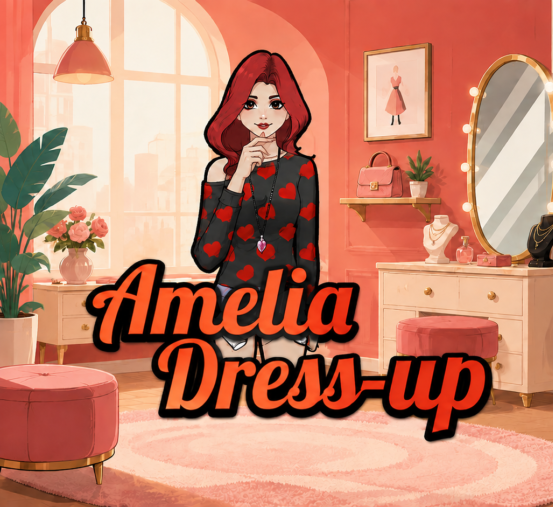
Amelia Dress-Up is an open-ended fashion customization game where players create a complete look for Amelia using hairstyles, clothing, shoes, and accessories. The tested version contains 93 character customization choices and five backgrounds.
There are no scores, timers, levels, or failure conditions. The goal is simply to experiment with different combinations and create a finished outfit that looks good against the selected background.
How to Play Amelia Dress-Up
Select Play on the opening screen. The game begins in the dressing room with the hairstyle category open and eight green category buttons in the upper-left corner.
Select a category and then click or tap one of its thumbnails. The chosen item appears on Amelia immediately. Selecting another choice from the same group replaces the current one, while selecting the active thumbnail again removes it.
Different clothing groups can be combined. For example, pants can remain underneath a skirt, while tops and outerwear can form separate layers. Once the outfit is finished, select a background and use the camera button to open a clean preview without the wardrobe menus.
Controls
| Action | Desktop | Touchscreen |
|---|---|---|
| Start the game | Left-click Play | Tap Play |
| Open a category | Left-click a green category icon | Tap the category icon |
| Apply an item | Left-click its thumbnail | Tap its thumbnail |
| Remove an active item | Click the same thumbnail again | Tap the same thumbnail again |
| Clear Amelia’s outfit | Click the circular arrows | Tap the circular arrows |
| Preview the finished look | Click the camera | Tap the camera |
| Return from preview | Click the blue back arrow | Tap the blue back arrow |
| Return to the title screen | Click the four-tile menu button | Tap the menu button |
| Toggle music | Click the music-note button | Tap the music-note button |
Keyboard controls are not used.
Outfit Categories and Backgrounds
The eight selectors contain 98 total thumbnails:
| Category | Choices |
|---|---|
| Hairstyles | 12 |
| Dresses and outerwear | 15 |
| T-shirts and tops | 12 |
| Pants | 12 |
| Shorts and skirts | 15 |
| Shoes | 12 |
| Accessories | 15 |
| Backgrounds | 5 |
Accessories use several separate slots, allowing glasses, earrings, neckwear, wrist accessories, and an extra accessory to appear together. The cat ears and pink bag share the extra-accessory slot, so choosing one replaces the other.
The five available scenes are a dressing room, beach, pizza shop, blue stage, and illustrated summer landscape.
Tips for Amelia Dress-Up
- Choose the main outfit structure first. Decide whether to use a dress or combine a top with pants, shorts, or a skirt before adding smaller accessories.
- Use the item toggle instead of resetting everything. Clicking an active thumbnail again removes that specific item while preserving the rest of the design.
- Check overlapping layers. Pants can remain visible beneath a skirt, and tops can sit beneath outerwear. Remove unwanted layers if a combination looks too crowded.
- Combine accessories from different slots. Glasses, earrings, necklaces, and wrist pieces can remain equipped together, providing more varied combinations than using one accessory alone.
- Choose the background after assembling the outfit. A light outfit may stand out more clearly against the blue stage, while darker clothing can contrast better with the beach or summer landscape.
- Inspect the design with the camera button. The clean preview hides the wardrobe interface so the full outfit is easier to evaluate. Use the blue arrow to return and make changes.
Game Details
| Detail | Information |
|---|---|
| Developer | lovershorizon |
| Genre | Dress-up and fashion customization |
| Platform | Web browser |
| Supported devices | Desktop and touchscreen devices |
| Technology | HTML5, Construct 2 |
| Controls | Mouse click or touchscreen tap |
| Number of players | 1 |
| Orientation | Landscape |
| Base resolution | 800×480 |
| Last meaningful update | December 19, 2016 |
Frequently Asked Questions
Do you need to drag clothes onto Amelia?
No. Open a category and click or tap the desired thumbnail. The selected item appears on Amelia automatically.
How do you remove one clothing item?
Select its active thumbnail again. Choosing another item from the same group also replaces the current selection. The circular-arrow button clears Amelia’s entire outfit but keeps the selected background.
Does the camera button save a picture?
No. It opens a clean preview by hiding the wardrobe menus and toolbar. The tested version does not create a download, so a device screenshot is required to keep a copy.
Can you win or lose Amelia Dress-Up?
No. Amelia Dress-Up has no score, timer, opponent, or failure condition. A session is complete whenever the player is satisfied with the outfit.