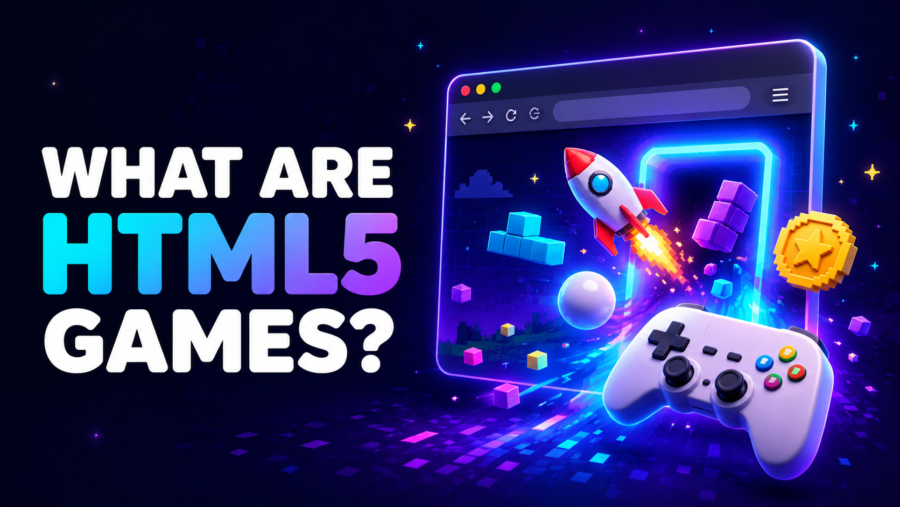
HTML5 games are video games that run inside a modern web browser using open web technologies instead of a separate browser plug-in. The name is convenient shorthand, not a particular game engine or file type. An HTML5 game may combine HTML, CSS, JavaScript, Canvas, WebGL, Web Audio, browser storage, and sometimes WebAssembly.
Opening one still transfers game files to the browser, including code, images, sounds, fonts, and level data. The important difference is that players normally do not install a separate desktop application or an obsolete plug-in. The browser loads and runs the game directly on the page.
What Does “HTML5 Game” Actually Mean?
Although the name contains “5,” modern HTML is maintained as a living standard rather than a sequence of major numbered releases. “HTML5 game” remains a familiar way to distinguish modern browser games from older plug-in formats, particularly Adobe Flash.
Most browser games use several technologies together:
| Technology | What it can do in a browser game |
|---|---|
| HTML | Provides the page structure and the element that contains the game. |
| CSS | Controls sizing, menus, layout, and the surrounding interface. |
| JavaScript | Handles game rules, input, movement, scoring, timing, and other logic. |
| Canvas | Draws changing 2D graphics, animation, sprites, and visual effects. |
| WebGL | Renders accelerated 2D or 3D graphics on compatible graphics hardware. |
| Web Audio | Manages music, sound effects, timing, and audio processing. |
| Browser storage | Can retain settings, high scores, or progress on the device. |
| WebAssembly | Lets some games run compiled, performance-sensitive code in the browser. |
A game does not need every item in the table. A lightweight 2D title might rely mainly on JavaScript and Canvas, while a more demanding game may use WebGL or WebAssembly. Engines and frameworks can sit on top of these technologies, but the exported game still has to provide code and assets that a compatible browser can run.
What Happens When You Press Play?
The browser first loads the page or embedded frame containing the game. It then requests the scripts, images, audio, fonts, and data needed to initialize the experience. A large game or a slow connection can therefore produce a longer first load.
Once those files are ready, the game creates its visual area, sets up its rules, and listens for input. A repeating game loop reads the latest input, updates positions and scores, checks the rules, and draws the next frame. Canvas or WebGL usually handles the changing picture while JavaScript coordinates the underlying logic.
The exact input method belongs to the individual game, not to HTML5 itself. Squid Head Kick, for example, uses movement input to position a player beneath a falling ball. Another browser game might use clicks, dragging, taps, swipes, or a different set of keys.
An embedded game may not receive keyboard input until the player clicks inside it. Sound may also begin only after a click or tap because modern browsers commonly restrict audio that tries to start automatically.
How HTML5 Games Replaced Flash
Many older browser games were created for Adobe Flash Player. Flash content depended on a proprietary plug-in that users and browser vendors had to install and support separately.
Adobe ended Flash Player support after December 31, 2020 and blocked Flash content from running in Flash Player beginning January 12, 2021. Major browsers also removed support for the plug-in. Installing an unofficial copy of Flash is not an appropriate way to make a modern browser game work.
Open browser standards took over the jobs that once required Flash. Canvas and WebGL can handle graphics, Web Audio can handle sound, JavaScript can provide game logic, and WebAssembly can support more performance-intensive code.
This transition did not automatically convert every old Flash file. A developer had to rebuild, port, re-export, or otherwise adapt a game for modern browsers. Preservation projects may use a separate emulation layer for some archived titles, but an original Flash file and a new HTML5 version are still different software formats.
Do HTML5 Games Need to Be Downloaded?
A browser game normally does not require a separate installer, but its files still have to reach the device. On the first visit, the browser downloads the code and media needed to start the game, just as it downloads the resources for other web pages.
The browser may cache some resources so a later visit loads faster. That does not mean every browser game works offline. Offline play must be deliberately supported by both the game and its hosting setup, and some games need a connection for assets, updates, accounts, advertising, or multiplayer features.
How Browser Games Save Progress
Saving is not automatic. A game may keep data in browser storage, save it to an online account, remember it only for the current session, or provide no persistent save at all.
Locally stored progress is commonly tied to one browser, one device, and the website where the game runs. Clearing that site’s cookies or storage can remove scores, settings, unlocks, or progress. Private browsing also uses temporary storage that may disappear after the private session closes.
A favorite list is a separate feature. Adding a title to Saved Games helps you return to that game, but it does not prove that the game’s own level progress or high score is being stored.
Why Browser Games Can Be So Different
HTML5 describes the delivery platform, not a genre, visual style, or ruleset. The same web technologies can support action games, sports challenges, puzzles, dress-up activities, racing games, and detailed 3D experiences.
Amelia Dress-Up is an open-ended customization game without a score or failure condition. Ninja Veggie Slice instead runs as a high-score challenge with targets, misses, and hazards. Both open through a web page, but their goals and input demands are different.
Performance varies too. A small 2D title can be less demanding than a large WebGL game with complex scenes, physics, and high-resolution assets. The browser version, available memory, graphics hardware, operating system, and current workload can all affect how smoothly a game runs.
Do All HTML5 Games Work on Phones?
No. Modern web technology gives developers the ability to support many devices, but the HTML5 label does not guarantee that a particular game works properly on every phone or tablet.
Reliable mobile play depends on several factors:
- The game must provide touch controls instead of requiring only a keyboard or mouse.
- The interface must fit the available screen size.
- The design may expect portrait or landscape orientation.
- The browser and device must support the graphics and audio features being used.
- The device needs enough memory and graphics performance for that specific game.
- Fullscreen, audio, and storage behavior can differ between browsers.
Check the individual game page or test its controls before assuming mobile support. A desktop-only control scheme can still belong to an HTML5 game.
Frequently Asked Questions
Is HTML5 a game engine?
No. HTML5 is shorthand for part of the open web platform. Engines and frameworks can create or export browser games, but those development tools are separate from the browser standards used to deliver the finished game.
Are HTML5 games the same as Flash games?
No. Flash games were made to run through Adobe Flash Player. HTML5 games use browser-native web standards and do not require that plug-in. A modern recreation of an old Flash title may also contain code, controls, or behavior that differs from the original.
Can an HTML5 game save progress?
It can, but saving depends on how the developer built the game. Progress may be stored locally, connected to an account, kept only for the session, or not saved at all.
Can HTML5 games work offline?
Only when offline use has been deliberately supported. A normal browser game may need an internet connection to retrieve its code, assets, updates, account data, or online features.