
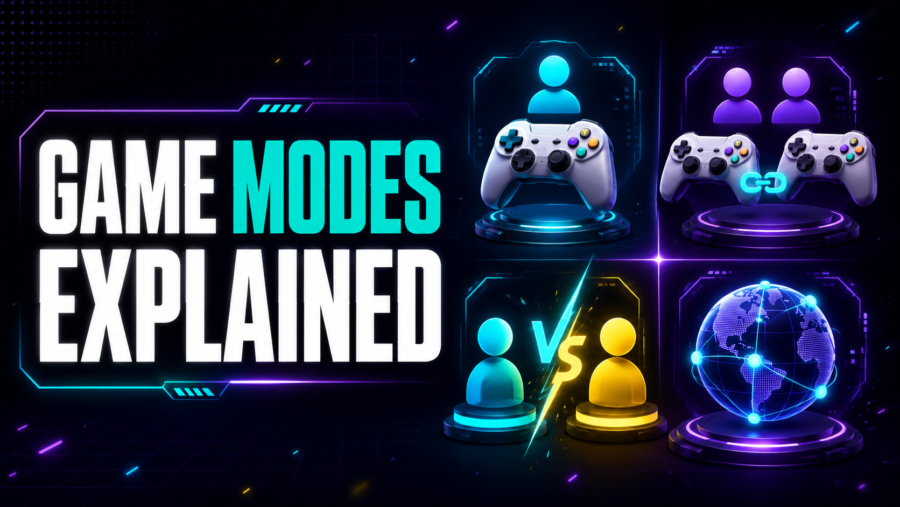
Game modes describe how players participate and how their goals relate. Single-player, multiplayer, co-op, competitive, and 1v1 are not interchangeable labels. A game can support more than one mode, and each mode can use local or online connections.
The safest way to understand a mode is to ask three questions: How many people can actively play, do they share a goal or oppose each other, and are they using the same device or different devices?
Single-Player Games
A single-player game has one active human player. The game can still contain computer-controlled characters, opponents, teammates, or simulations.
Playing against a programmed opponent does not make the game multiplayer. Multiplayer requires at least two human participants within the supported mode.
Single-player structures include:
- A campaign or sequence of levels
- A score attack
- A puzzle or daily challenge
- A solo strategy match against computer-controlled opposition
- An open-ended creative activity
- A run that ends after failure or completion
A leaderboard can compare many people’s results while the underlying play remains single-player. The participants do not have to occupy the same live game session.
What Is Multiplayer?
Multiplayer means that two or more human players take part in the game’s supported interaction. They may cooperate, compete, form teams, take turns, or share a space.
The term does not reveal where the players are located. Multiplayer can be local, online, or a mixture.
It also does not guarantee simultaneous action. Players can act at the same time, alternate turns, or submit actions asynchronously.
Local Multiplayer
Local multiplayer lets people play together through the same physical device or local setup. Common structures include:
- Shared keyboard controls
- Multiple controllers
- One touchscreen with separate control areas
- Pass-and-play turns
- A shared screen
- Split-screen views
“Local” describes proximity and device arrangement, not whether players cooperate. A local match can be competitive, cooperative, or divided into teams.
Browser games with shared keyboard controls need careful key selection. Some key combinations may conflict with the browser or hardware, and the game must keep input focus. A touchscreen also needs enough space for more than one person’s controls.
Online Multiplayer
Online multiplayer connects players through a network. Each participant may use a different device and browser.
The game normally needs a server or peer connection to exchange important state changes. Depending on the design, that can include movement, actions, scores, room membership, chat, or turn data.
An online mode can be:
- Real-time
- Turn-based
- Asynchronous
- Cooperative
- Competitive
- Team-based
- Free-for-all
An internet connection alone does not make a game online multiplayer. A single-player browser game still uses the internet to load its files.
Many .io-style games are associated with online multiplayer, but the domain suffix is not proof of a particular mode.
What Is Co-op?
Co-op is short for cooperative play. Two or more human players work toward a shared objective or shared success condition.
True cooperation affects the game state. Players may coordinate positions, divide tasks, combine abilities, share resources, protect one another, or solve a problem that depends on several roles.
A game is not necessarily co-op just because two people are playing beside each other. If each person completes an independent score run, they are comparing results rather than cooperating inside the game.
Shared Goals and Interdependence
Co-op becomes stronger when players depend on one another. One player may create an opening while another uses it, or different roles may provide abilities the team needs.
Interdependence can take several forms:
- Complementary roles: Players have different useful abilities.
- Shared resources: Spending by one player affects the group.
- Combined actions: A task requires coordinated timing or position.
- Mutual recovery: Players can rescue or restore one another.
- Shared failure: The team loses when a common condition is met.
Not every co-op game requires all of these. The core requirement is a shared in-game objective rather than parallel solo play.
Co-op vs Team-Based Competition
Team-based competition contains both cooperation and opposition. Teammates cooperate with one another while competing against another player or team.
A purely cooperative mode can instead place all human players against the game’s rules, environment, or computer-controlled threats. There may be no opposing human team.
The mode should therefore be described at both levels. “Team-based competitive multiplayer” is more precise than simply “co-op” when human teams are trying to defeat one another.
What Does 1v1 Mean?
1v1 means one player versus one player. Exactly two opposing participants compete directly within the match or contest.
The structure can use:
- Simultaneous real-time action
- Alternating turns
- Separate attempts followed by score comparison
- A race toward the same objective
- A series of rounds
A two-player game is not automatically 1v1. Two players working together are co-op. Two players alternating independent solo runs may be a score comparison rather than a direct versus match.
1v1 vs Free-for-All
A free-for-all gives every participant an independent competitive goal. With two players, that can resemble 1v1. With three or more, alliances may form temporarily, but only one participant or result usually wins.
1v1 is more specific because the contest has two opposing sides with one player on each side. A team match with two players per team is 2v2, not 1v1.
Competitive Multiplayer
Competitive multiplayer places human participants in opposition. Success can depend on score, survival, territory, speed, resource control, elimination, or completion of an objective.
Competition does not require combat. A race, puzzle duel, drafting contest, or score challenge can all be competitive.
The rules should explain:
- What counts as winning
- Whether the match is individual or team-based
- How ties are handled
- Whether players interact directly
- How a round ends
- Whether progress carries between rounds
Synchronous vs Asynchronous Multiplayer
Synchronous play requires participants to be active during the same session. Actions and responses happen close together in time.
Asynchronous play allows larger gaps. One player may take a turn, submit a move, or record a challenge that another person answers later.
A turn-based strategy game can support either model. Formal turns do not automatically mean asynchronous play, and a real-time game is normally synchronous.
Pass-and-Play and Hot-Seat Modes
Pass-and-play uses one device for several participants. Each person takes control during a separate turn and then passes the device or control position.
Hot-seat is a similar term often used when players rotate through one computer or seat.
These are local multiplayer modes, but they are not simultaneous. They work best when hidden information is protected and the game clearly signals whose turn is active.
Bots and Computer-Controlled Players
A bot is a computer-controlled participant. Bots can fill empty positions, provide opponents, teach rules, or let a match continue when fewer human players are available.
A game with one human and several bots is still single-player from the human-participant perspective unless another human joins. The presence of several on-screen competitors does not establish multiplayer.
Leaderboards and Ghost Data
A leaderboard stores and compares results from many players. Ghost data records a previous performance, route, or movement pattern for comparison.
Both features can make solo play feel socially connected, but they do not necessarily create a shared live match. The current player may be interacting with recorded data rather than another active person.
Matchmaking, Rooms, and Private Links
Online games use different methods to bring players together:
- Matchmaking automatically selects participants according to available rules.
- Public rooms let players join an open lobby.
- Private rooms restrict entry through a code, invitation, or account permission.
- Direct links can lead invited players to a specific session.
These access methods do not change whether the mode is co-op or competitive. They only affect how participants enter the session.
How to Verify a Game’s Mode
Do not rely only on a thumbnail or broad category. Check the exact mode description and controls.
Useful questions include:
- How many human players are supported?
- Do they act at the same time or take turns?
- Do they share one device or use separate devices?
- Is a network connection required?
- Are players cooperating, competing, or doing both in teams?
- Does the game use bots to fill missing positions?
- Is the result a live match or only a score comparison?
These details matter more than a generic “multiplayer” tag.
Modes and Genres Are Different
A genre describes the main form of play. A mode describes participation and goals.
A platformer can be single-player, co-op, or competitive. A point-and-click game can be designed for one player or for collaborative problem solving. An arcade-style score challenge can use separate solo attempts or simultaneous competition.
The two labels answer different questions and should be stated separately.
Frequently Asked Questions
Is two-player the same as 1v1?
No. Two-player only states the number of participants. They could cooperate, compete directly, alternate solo turns, or share a team objective.
Is co-op always online?
No. Co-op can be local, online, or both.
Does a leaderboard make a game multiplayer?
Not by itself. A leaderboard can compare single-player results without placing participants in the same active session.
Are bots multiplayer opponents?
Bots can occupy roles in a multiplayer-style ruleset, but they are not human participants. A match with one human and only bots is still a single-human experience.
What is local co-op?
Local co-op lets people work toward a shared objective from the same physical setup, often on one device or screen.
What is online co-op?
Online co-op connects people over a network so they can pursue a shared objective from separate devices.